![EduMe_primary_full_colour_light_bg_RGB.svg]](https://help.edume.com/hubfs/EduMe_primary_full_colour_light_bg_RGB.svg)
eduMe content can be accessed in a variety of ways. In this guide, we will mainly refer to seamless link access, but many of the same considerations apply across other access methods.
Choose How You Want to Display eduMe ContentThe first step is deciding how you want to present eduMe content to users. There are three main options:
- Open the eduMe link in the same browser tab or window
- Open the eduMe link in a new browser tab or window
- Display eduMe content in an embedded iframe
Each approach offers different benefits and trade-offs, so the best option depends on the experience you want to create and the level of implementation effort you are comfortable with.
Same Browser Tab / Window
Benefits
- Simple to implement by opening a URL
- A good option for demonstrating value quickly
Considerations
- How users will navigate back to the source location if they want to exit the training
- How to identify the user when they return to the source location, if needed
- Whether to use a custom link on the course completion screen
New Browser Tab / Window
Benefits
- Simple to implement by opening a URL
- A good option for demonstrating value quickly
- Users can return to the source location by closing the new tab
Considerations
- How users will navigate back to the source location if they want to exit the training
- How to determine whether a user has completed the content when they return to the source location, if needed
- Whether to use a custom link on the course completion screen
Embedded iframe in the Same Page
Benefits
- Creates a more seamless user flow
- Highly customisable
Considerations
- Requires slightly more development effort
- You will need to provide a list of domains to add to the iframe allowlist in the front-end repo
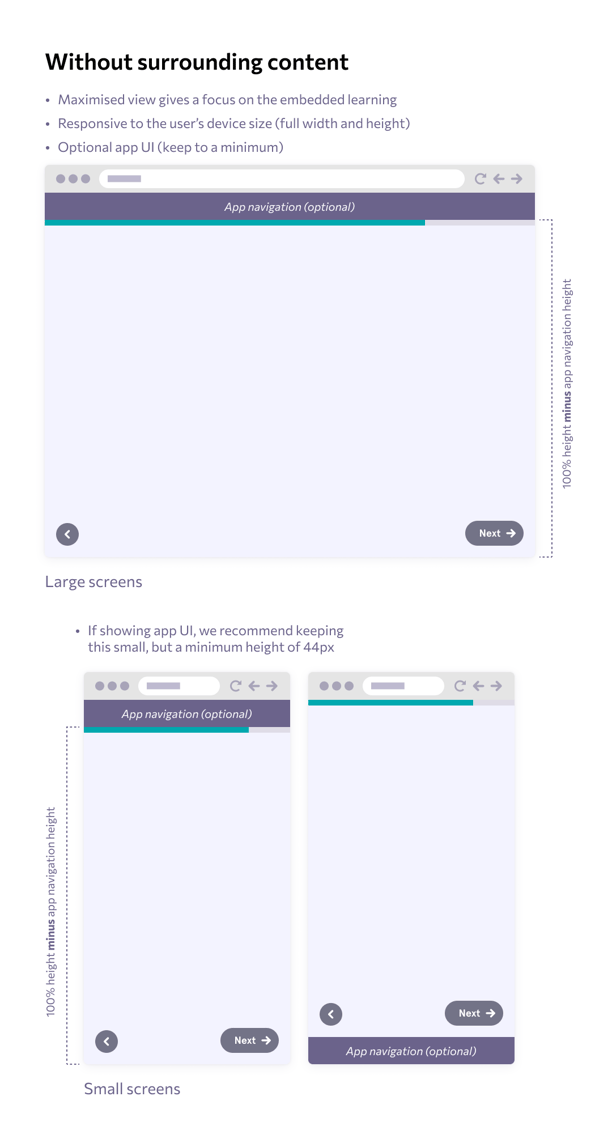
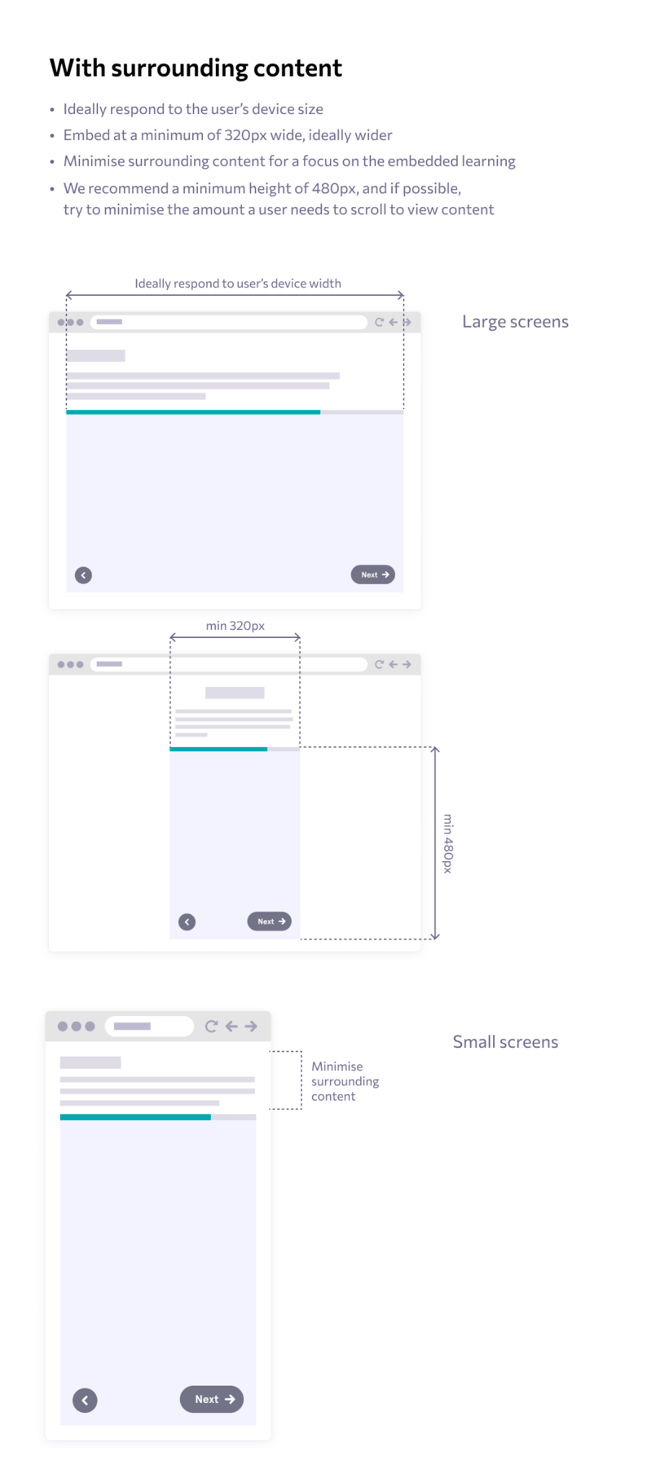
- You will need to think about iframe layout and sizing, with a minimum width of 320px
- You should define how the back button is expected to behave
- You should consider how the embedded experience will look within the surrounding page
What this can look like;